
Monitor, track and Analyze by adding Google Analytics to your website
When was the last time you took a test? It may be your sugar test, weight test, or even IQ test! Have you ever wondered why do we take these tests after all? We take tests to find loopholes to make ourselves better!
Similarly, by adding Google Analytics to your website, you can find loopholes in your website, find room for improvement and increase the quality of your website!
Google Analytics is the Shah Rukh Khan of web analytics! It is one of the most popular platforms for performing digital analysis. It performs in-depth research and provides you a detailed report about visitors to your website. And guess what? It is completely free!
Therefore, let us understand how to add Google Analytics to your website at a completely free cost!
Using Google Analytics, you can monitor and analyze your website’s performance.
Through this article, we are going to discover easy steps to add Google Analytics to the Wix website or WordPress, or any other website to make the best analysis! Also, we will discuss how to use them wisely by introducing various reports that they provide!
So let us dive in and make our way to find the best possible solution to add Google Analytics to your website!
It is one of the most popular platforms for performing digital analysis. It performs in-depth research and provides you a detailed report about visitors to your website. This shall help you make informed website strategies and also help you provide a better user experience. And guess what? It is completely free!
Google Analytics can be added to your website using the following simple ways!
1. Create Google Analytics Account – The first step of every application is registration! Therefore, start by creating a google analytics account. In case you have an account, sign up for the account.
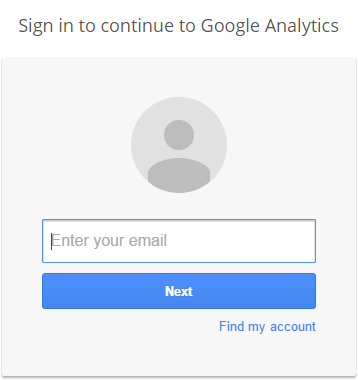
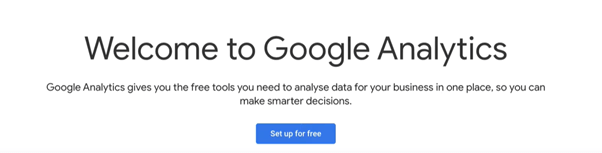
- Once you sign in, click on sign in for free
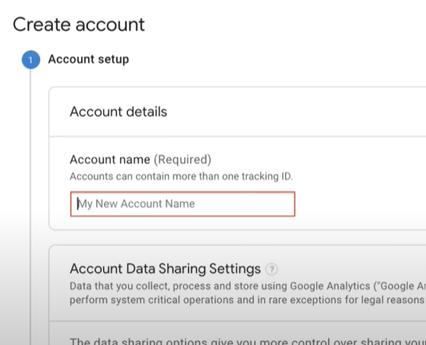
- Add an account name and click on next
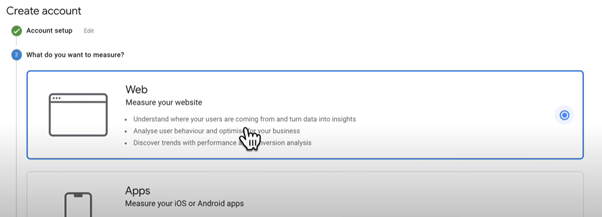
- Then choose if you want to measure a website, app, or both and click on next
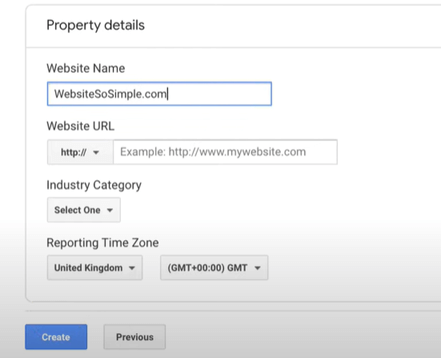
- Enter your website name and URL. Select an industry category, time zone, and currency and click create
- Agree to the terms according to your region
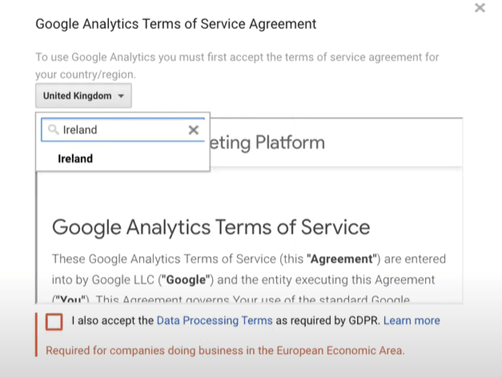
With these simple steps, you can set up your Google Analytics account!
2. Install Tracking Code--
In order to collect data and see reports in Google Analytics, you will need to install a tracking code on your website. There are many ways to install the code, depending on the website you use.
The tracking code automatically appears after you create your Google Analytics account. If it doesn’t, don’t worry! Follow these simple steps-
- Go to the Admin, in the left bottom corner

- In the property column, click on tracking info
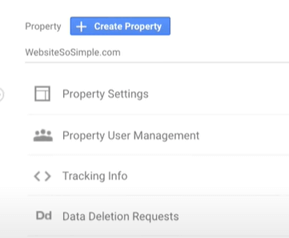
- Under tracking info, click on tracking code
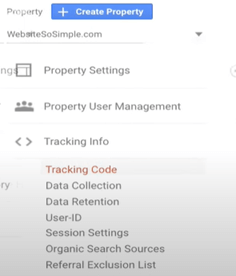
And there! You will find the Tracking Id
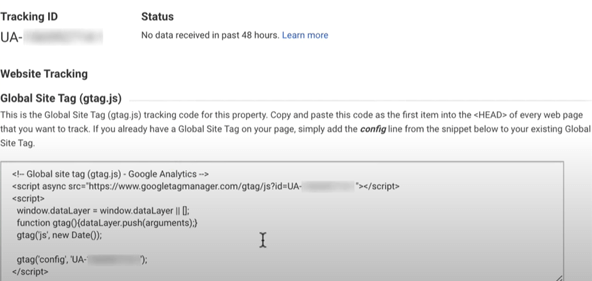
If you use website domains like Wix, Weebly, Squarespace, Shopify, or others, you can simply copy the tracking id and paste it into the admin section of your website!
For example- To add the tracking id to a Wix website,
- Click on marketing integration
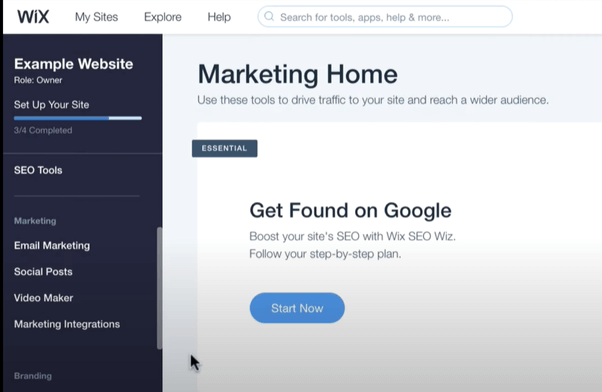
- Then connect to Google Analytics
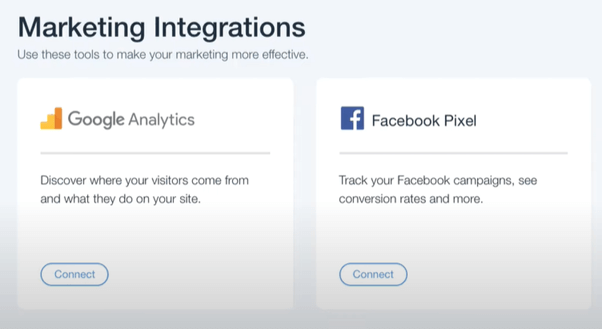
- And paste the code
- Finally, click on save!
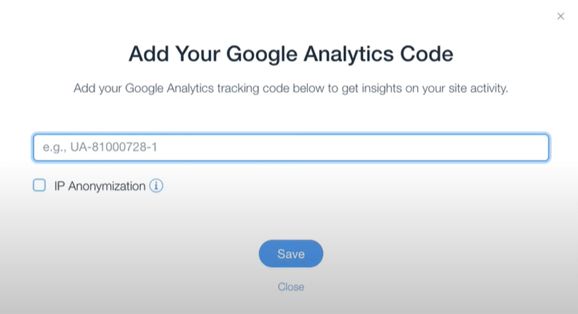
The process is very similar for other websites domains. In case of any confusion, you can always check their support guides.
In case you coded your own website,
- simply copy the Global Site Tag at the bottom
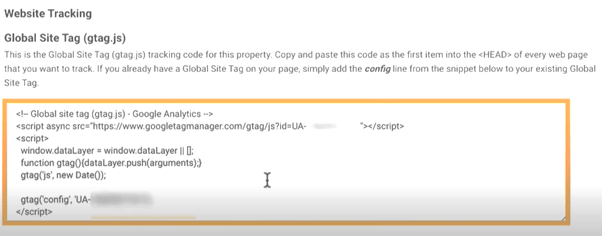
- paste it right after the opening head tag on every page of your website
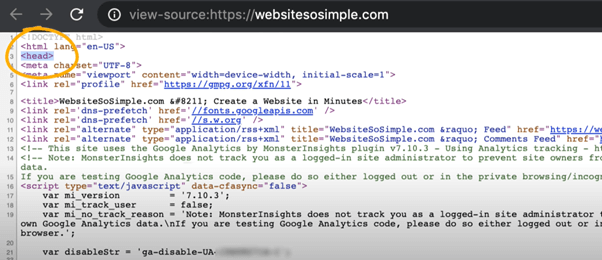
If you are using WordPress,
- Login to your WordPress dashboard
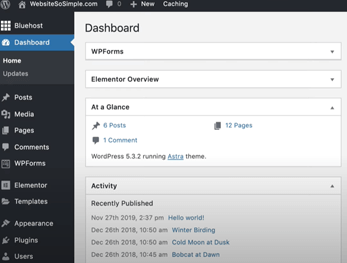
- Click to add a new plugin

- Search for monster insights

- Then click on install and activate
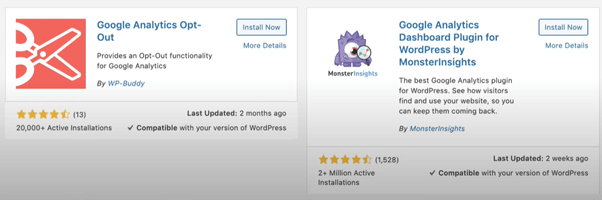
- Then launch the wizard setup!

- Then click the category that best describes your website

- Connect Monster insights
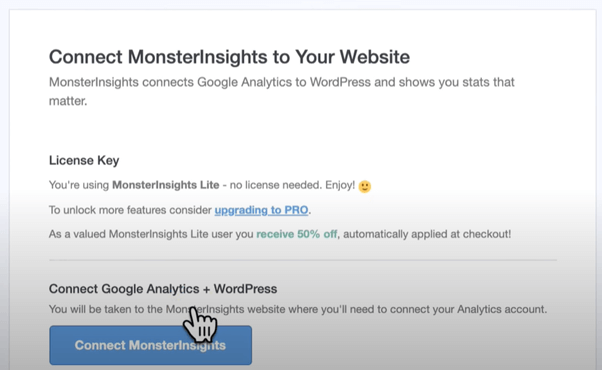
- Then login with a Google account
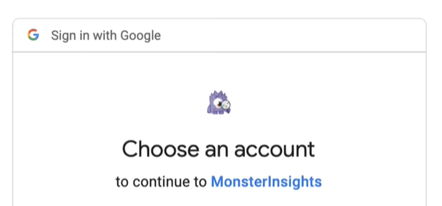
- Finally, click to finish the setup and exit the wizard
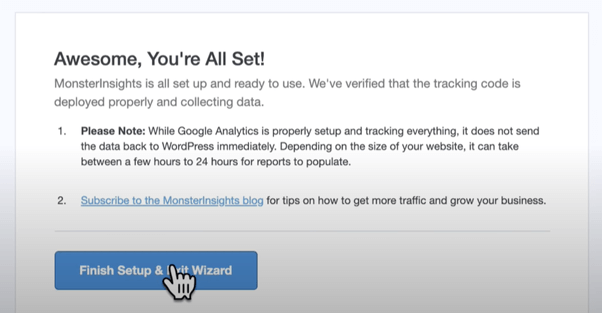
Note: Monster Insights also has a pro version with more advanced features. But the free version is more than enough for the basic Google Analytics setup!
3. Confirm it is working!
To test that Google Analytics is working,
- Open an incognito window from your browser

- Type in your website domain
- Then refresh the page in Google Analytics
- Now you should see that there is one active user on your website
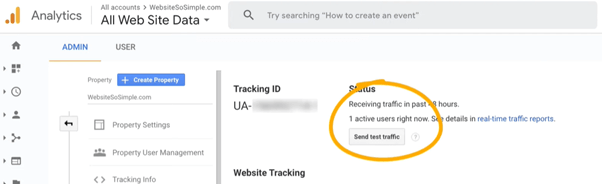
This shows that Google Analytics is set up correctly because we can see the visit you have opened in the incognito window.
After 24 hours, your reports will begin to populate, and if you click on Google Analytics home, you will be able to see-
- Users- The number of people who visited your profile
- Sessions- How many times your website were visited
- Bounce rates- Percentage of sessions in your website which the visitors viewed only one page
- Session Duration- Time spent on your website

And, that’s it! Now you can easily track your website on Google Analytics! Examining the reports helps you evaluate your website’s strengths and weaknesses. Well, that is not it! There are much more benefits of analyzing all those reports of your website! They are:
1. Data, data everywhere! – Analysing your website is all about collecting data and reporting about your website. These data are systematically categorized and quite relevant to your website. These data shall help you understand the latest trends in the market and the current interests of mass audience. They are provided in the form of tables, graphs and pie charts also!
2. All about your visitors! – This is not the first, and the last time this point will be stressed! Because visitors are the most precious assets of your website, it is quite important to understand them. Most analytics shall provide you with specific reports, like technological, demographic, and behavior reports, for your critical understanding.
3. Know your best articles! – Analytics shall help you understand which of your content has performed best. It shall show you what kind of your content are liked by your visitors. This way, you can provide a better user experience.
4. Improve your SEO! – Search Engine Optimization is a way to improve your website’s search visibility. Concepts like bounce rates and landing pages shall help you increase your website’s SEO.
Now that we have understood how Google Analytics benefits your website, let us understand what does Google Analytics exactly measure!
The main building blocks of Google Analytics are the dimension and metrics!
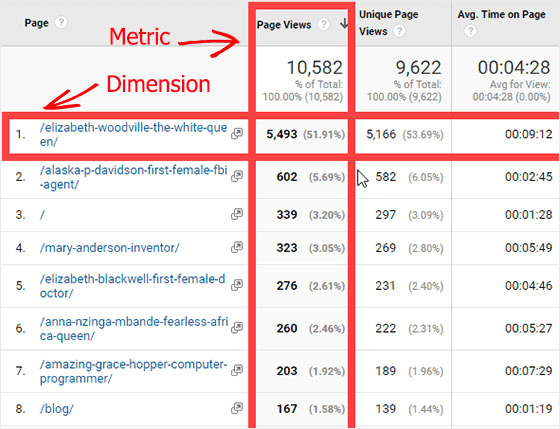
Dimensions-- As the name suggests, these refer to the factors or parameters on which you want your audience to be tracked. The various dimensions can be
- Age
- Region
- Device Category
- Gender
Metrics – Metrics refers to values against the dimensions. Let us simplify with an example- If you want to know how many females visited your website, the female will be the dimension, and if 200 females visited your website, the 200 is the metric.
So, all the reports will primarily contain both dimensions and metrics.
Now throughout the article, we have been repeating the word reports for so many times! So let us finally understand what are these reports!
Google Analytics categorizes all your website reports into the ABCs!

- Acquisition –
In the acquisition report, you can understand how does the audience visits your website, i.e., your website traffic. This report provides you-
- Sessions – Number of times your website was opened
- New Sessions – Percentage of sessions opened recently
- New Users – Number of new visitors how visited your website
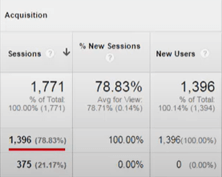
- Behavior
As the name suggests, this tracks the user behavior and tracks what they are doing on your website! This reports tracks-
- Bounce Rates – This refers to the percentage of people who visit only a single page on your website and not check other pages on your website
- Page/Sessions – This refers to the number of people who have visited a particular page on your website. This way, you can know which page is doing well!
- Average Session Duration – This refers to the average time spent by your users each time they open your website
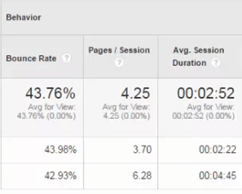
- Conversions--
Conversion refers to how many visitors to your website turn into potential customers by making a purchase or something. This report tracks-
- Transactions – This refers to the percentages of purchases or transactions made on your website
- Revenue- This refers to the total amount of revenue you earned from the website
Ecommerce Conversion Rate – This refers to the rate at which your visitors are converting into potential customers
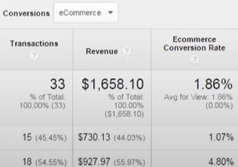
With these reports, you can examine your website in detail. There are many more features on Google Analytics that will help you track your website better. So go ahead and try them all out!
On that note, we come to the end of this article!
Google Analytics is one of the most trusted and used platforms to analyze and monitor websites. It is a wonderful tool for any kind of website. If you know to use it rightly, it shall help you grow your website at an exponential rate!
So, what are you waiting for? Add Google Analytics to your website! Don’t just stare at random pie charts or tables; learn how to use them wisely!
Monitor, track, and analyze to watch your website perform top-notch! Tell me in the comments your experience with Google Analytics.
0 Comments